> ## Documentation Index
> Fetch the complete documentation index at: https://archie.com/docs/llms.txt
> Use this file to discover all available pages before exploring further.
# Editing user types
> Define who uses your app and what each user type can do.
User types are the roles that interact with your app — for example, "customer," "admin," "instructor," "viewer." This page covers how to edit them.
## What a user type defines
Each user type has a name, a description, and the modules or actions it can access. The generator uses user types to set up authentication, authorization, and the navigation each role sees.

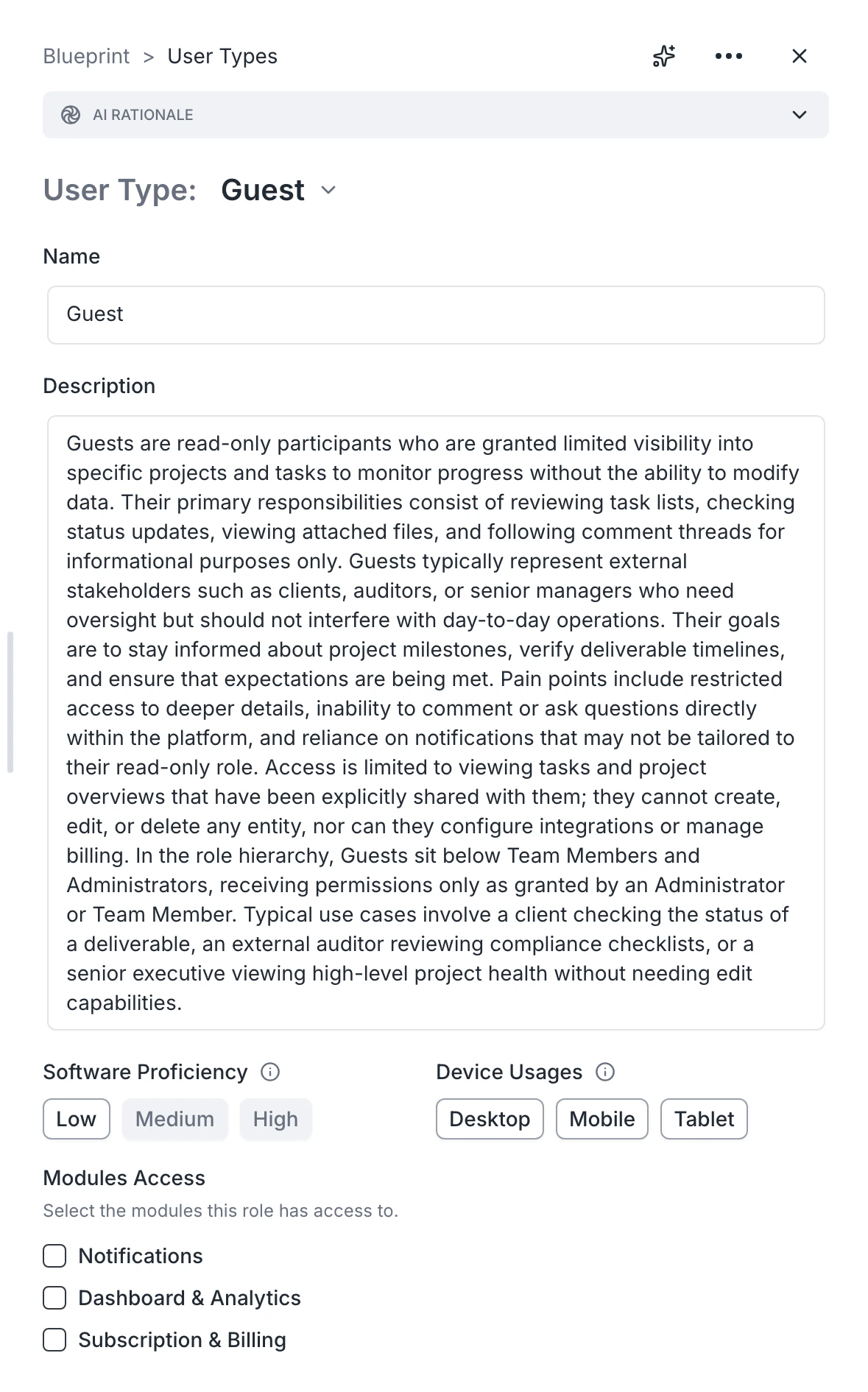 ## Adding a user type
1. Open the **User types** card.
2. Click **Add user type**.
3. Provide a name, a short description of who this person is, and what they should be able to do.
4. Save.
If the new user type needs a different sign-in flow (for example, an admin invited by email vs. a customer who self-registers), note that in the description. Archie will configure auth accordingly.
## Removing a user type
Open the user type and delete. Modules that referenced this user type will lose those permissions — review them after deletion.
## Refining a user type
Use the description to spell out:
* What this person sees on first login
* Which modules they can access
* Any actions they explicitly cannot do
* Whether they can invite others
Specific descriptions produce better builds than vague ones. "Admin" is weaker than "Internal admin who manages courses, can invite instructors, sees usage analytics, can refund payments."
## Common patterns
* A B2C app often has **End user** and **Admin**.
* A marketplace usually has **Buyer**, **Seller**, **Admin**.
* An internal tool may have only **Operator** and **Admin**.
* Add a **Guest** user type only if unauthenticated visitors are part of your product.
## FAQ
Archie generates the auth system based on each user type's modules. Overlap is fine, but distinct names and descriptions make the result clearer.
Either as separate user types ("Free user" and "Paid user") or as a single user type with a billing flag. Either works — the description matters more than the structure.
Yes, if the description says so. Be explicit ("a customer can also be a referrer earning commissions").
## Adding a user type
1. Open the **User types** card.
2. Click **Add user type**.
3. Provide a name, a short description of who this person is, and what they should be able to do.
4. Save.
If the new user type needs a different sign-in flow (for example, an admin invited by email vs. a customer who self-registers), note that in the description. Archie will configure auth accordingly.
## Removing a user type
Open the user type and delete. Modules that referenced this user type will lose those permissions — review them after deletion.
## Refining a user type
Use the description to spell out:
* What this person sees on first login
* Which modules they can access
* Any actions they explicitly cannot do
* Whether they can invite others
Specific descriptions produce better builds than vague ones. "Admin" is weaker than "Internal admin who manages courses, can invite instructors, sees usage analytics, can refund payments."
## Common patterns
* A B2C app often has **End user** and **Admin**.
* A marketplace usually has **Buyer**, **Seller**, **Admin**.
* An internal tool may have only **Operator** and **Admin**.
* Add a **Guest** user type only if unauthenticated visitors are part of your product.
## FAQ
Archie generates the auth system based on each user type's modules. Overlap is fine, but distinct names and descriptions make the result clearer.
Either as separate user types ("Free user" and "Paid user") or as a single user type with a billing flag. Either works — the description matters more than the structure.
Yes, if the description says so. Be explicit ("a customer can also be a referrer earning commissions").