> ## Documentation Index
> Fetch the complete documentation index at: https://archie.com/docs/llms.txt
> Use this file to discover all available pages before exploring further.
# When to run the build
> Signals that your blueprint is ready to compile into a working app.
Builds cost time and credits. Building a blueprint that is not ready wastes both. This page covers the signals that you are ready to build and the signals that you are not.
## Ready to build
You are ready when:
* You have read every section of the blueprint
* The Modules section lists everything you need and nothing you do not
* User types are named and described concretely
* System services and integrations match your intent
* The tech stack is what you want or you have consciously left the default
* You can describe what the built app should do without referring back to the blueprint
If those are true, run the build.
## Not ready to build
Hold off if:
* You have not read the blueprint sections yet
* A section "feels off" but you have not articulated why
* Modules describe features you are not sure you need
* User types are still labeled with placeholders ("User", "Admin")
* You have never opened the blueprint chat to ask a question
In each case, an extra few minutes of editing now saves a wasted build.
## Choosing build scope
Once you are ready:
* **MVP** — generates only the core features. Best for validating an idea fast.
* **Full Build** — generates everything in the blueprint. Best when you have already validated and want the complete app.
And the build type:
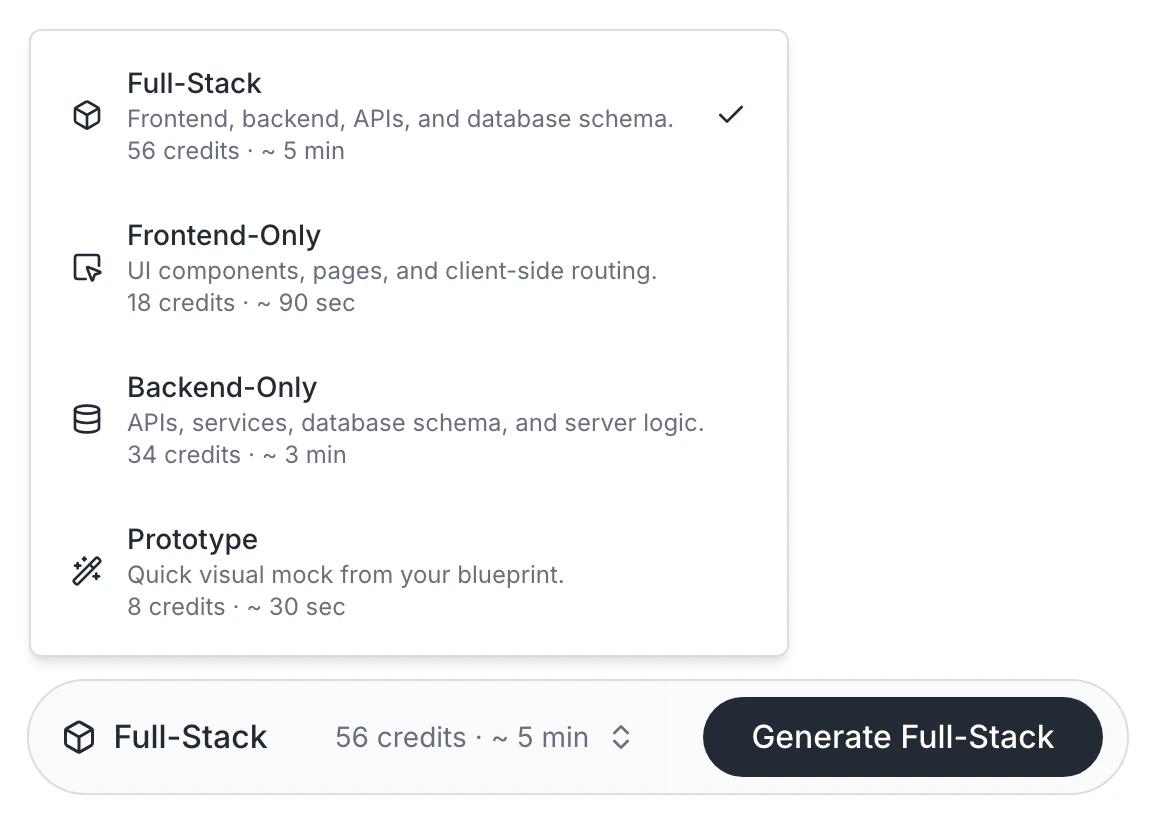
* **Full-Stack** — frontend and backend together (around 5 minutes, 56 credits)
* **Frontend-only** — just the UI against existing backend (around 90 seconds, 18 credits)
* **Backend-only** — just APIs and data (around 3 minutes, 34 credits)
For a first build, **MVP / Full-Stack** is the safe default.
 ## After the build
When generation finishes, you land in the visual editor with a running app. From there:
* Edit visually and live
* Edit code in the IDE
* Re-run a frontend-only or backend-only build for surgical updates
* Edit the blueprint and rebuild for larger changes
## FAQ
The blueprint page shows the error and credit usage. Failed builds are not charged in full. {/* VERIFY: confirm exact credit refund policy on failed builds */}
Most projects build 2–4 times: an MVP, a full build, and one or two iterations after major blueprint edits. If you are rebuilding more often, that usually signals an under-edited blueprint.
## After the build
When generation finishes, you land in the visual editor with a running app. From there:
* Edit visually and live
* Edit code in the IDE
* Re-run a frontend-only or backend-only build for surgical updates
* Edit the blueprint and rebuild for larger changes
## FAQ
The blueprint page shows the error and credit usage. Failed builds are not charged in full. {/* VERIFY: confirm exact credit refund policy on failed builds */}
Most projects build 2–4 times: an MVP, a full build, and one or two iterations after major blueprint edits. If you are rebuilding more often, that usually signals an under-edited blueprint.