> ## Documentation Index
> Fetch the complete documentation index at: https://archie.com/docs/llms.txt
> Use this file to discover all available pages before exploring further.
# Read
> Pick a typographic personality — Archie maps it to font families and sizes that work together.
Read controls typography: which fonts your app uses and how their sizes relate to each other. Instead of picking a font family and a type scale separately, you choose a personality and Archie maps it to a pairing that already works.
## Font feel
Four presets, each previewed with a live "Aa" sample:
* **Editorial** — serif or serif-adjacent headings, built for long-form reading and a considered, print-influenced tone.
* **Modern** — clean geometric or humanist sans, the default for most SaaS products.
* **Expressive** — more distinctive display type, for brands that want typography to carry personality.
* **Technical** — precise, often monospace-influenced, suited to developer tools and data-dense products.
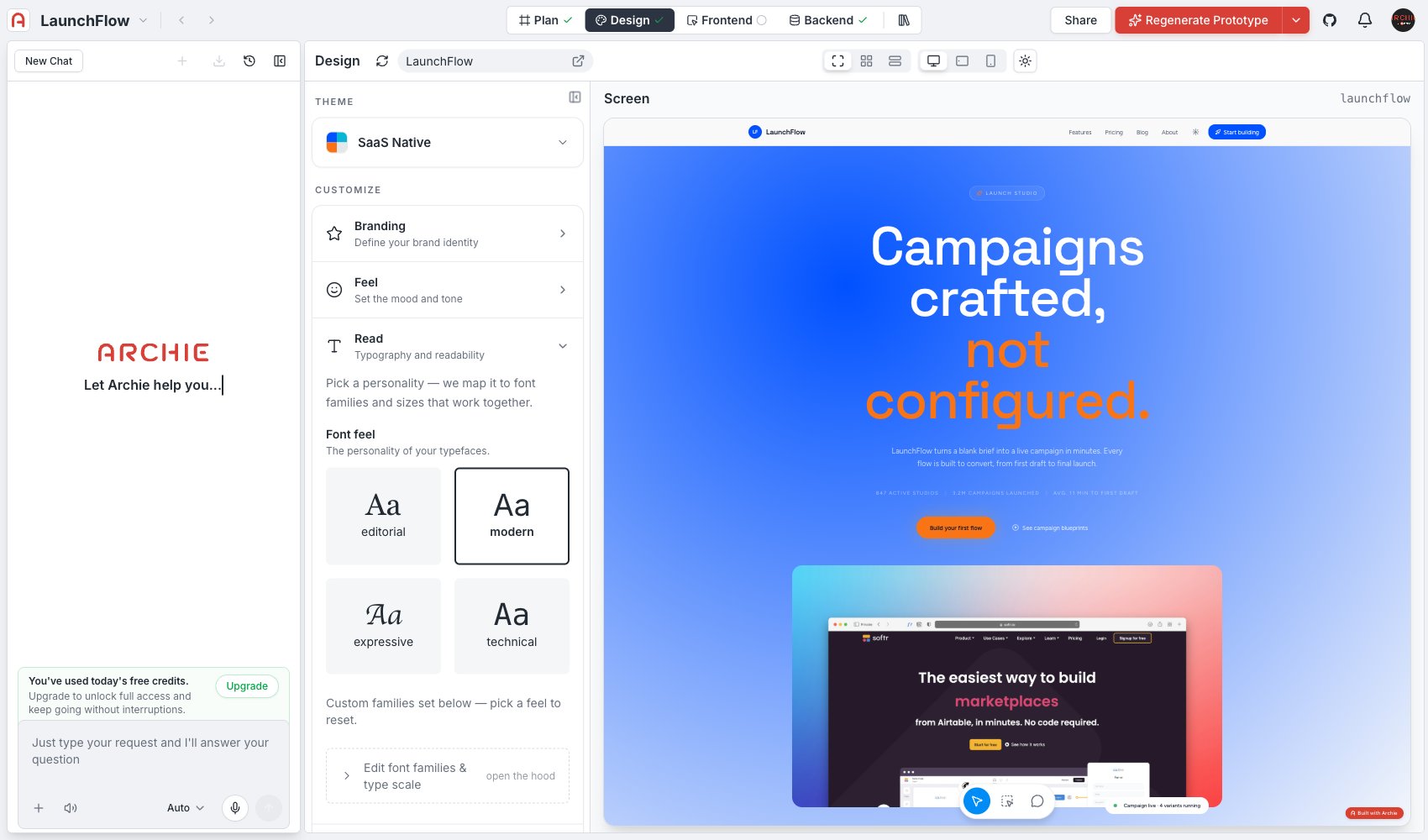 Picking a font feel resets any custom font families you set below it — see [Advanced editing](#advanced-editing).
## Advanced editing
Click **Edit font families & type scale** to set specific font families and the type scale directly, instead of using a Font feel preset. Use this when you have a specific typeface in mind, or need a size relationship the presets do not cover.
## FAQ
Yes — use **Edit font families & type scale** to set any font family directly.
They're independent. Read sets font family and the type scale; [Feel](/docs/features/design/feel) sets spacing and padding around that type.
Picking a font feel resets any custom font families you set below it — see [Advanced editing](#advanced-editing).
## Advanced editing
Click **Edit font families & type scale** to set specific font families and the type scale directly, instead of using a Font feel preset. Use this when you have a specific typeface in mind, or need a size relationship the presets do not cover.
## FAQ
Yes — use **Edit font families & type scale** to set any font family directly.
They're independent. Read sets font family and the type scale; [Feel](/docs/features/design/feel) sets spacing and padding around that type.