> ## Documentation Index
> Fetch the complete documentation index at: https://archie.com/docs/llms.txt
> Use this file to discover all available pages before exploring further.
# Editing modules
> Add, remove, and refine the modules in your plan.
Modules are the major features of your app — for example, "user accounts," "course catalog," "checkout," "admin dashboard." This page covers how to edit them.
## What a module looks like
Each module in the plan has a name, a short description, and a connection to the user types and services it uses. Modules are the building blocks the generator turns into pages, components, and APIs.
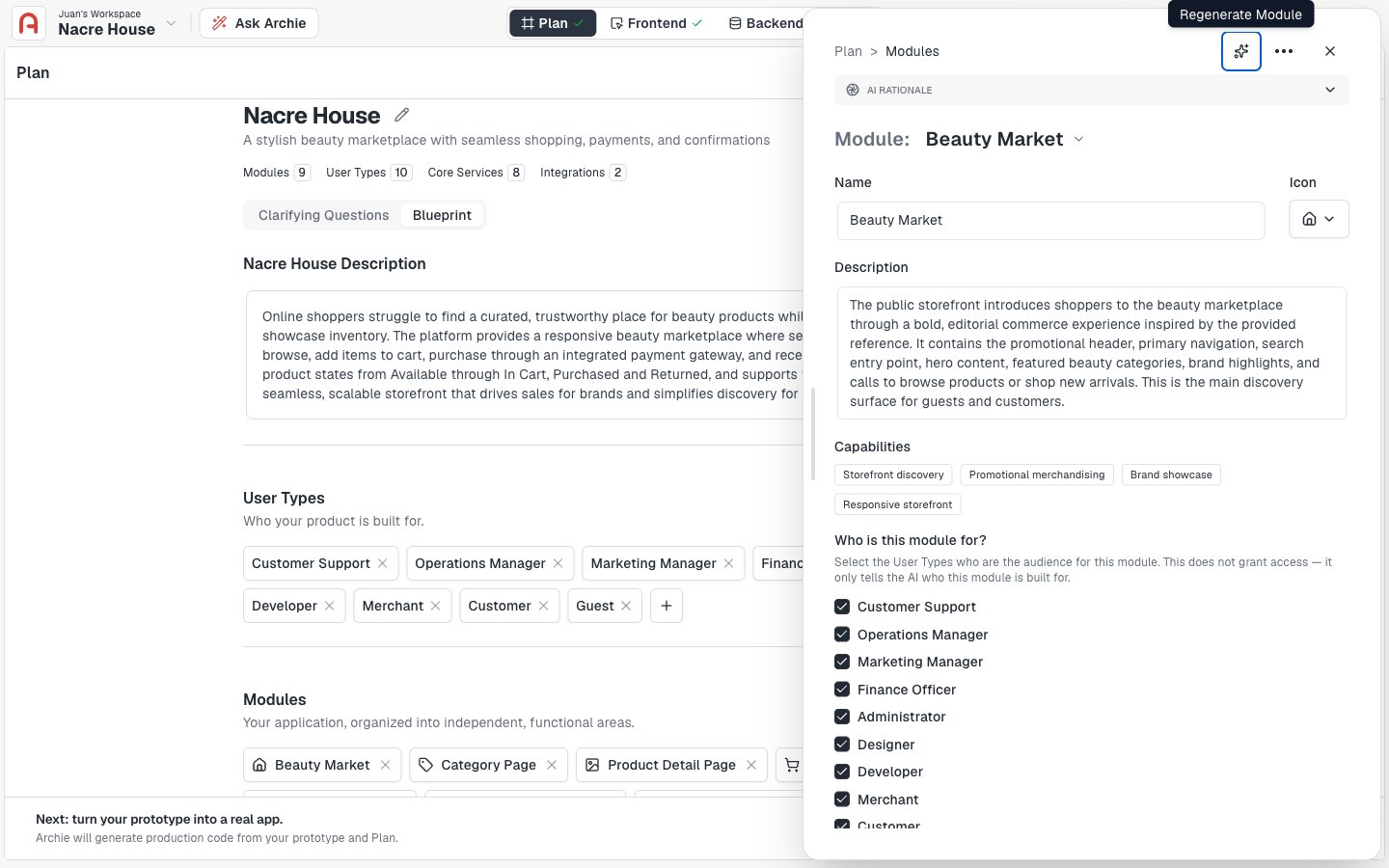 ## Adding a module
1. Open the **Modules** card on the plan page.
2. Click **Add module**.
3. Type a name and a short description.
4. Save.
## Adding a module
1. Open the **Modules** card on the plan page.
2. Click **Add module**.
3. Type a name and a short description.
4. Save.
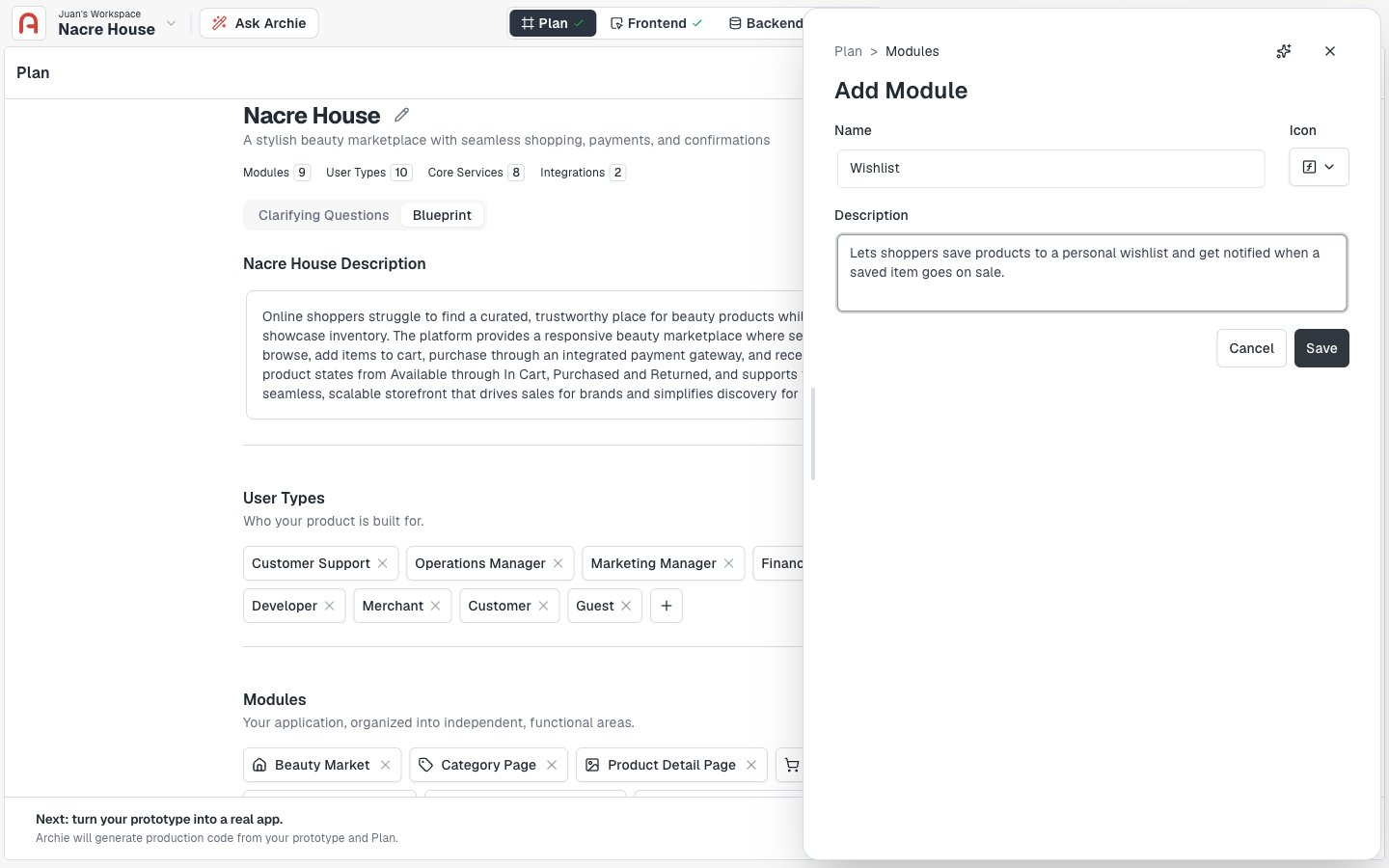 The new module is wired into the plan immediately. The generator will pick it up on the next build.
## Removing a module
Click the module to open it, then delete. Removing a module also removes references to it from related sections — for example, if a user type's permissions referenced the module.
The new module is wired into the plan immediately. The generator will pick it up on the next build.
## Removing a module
Click the module to open it, then delete. Removing a module also removes references to it from related sections — for example, if a user type's permissions referenced the module.
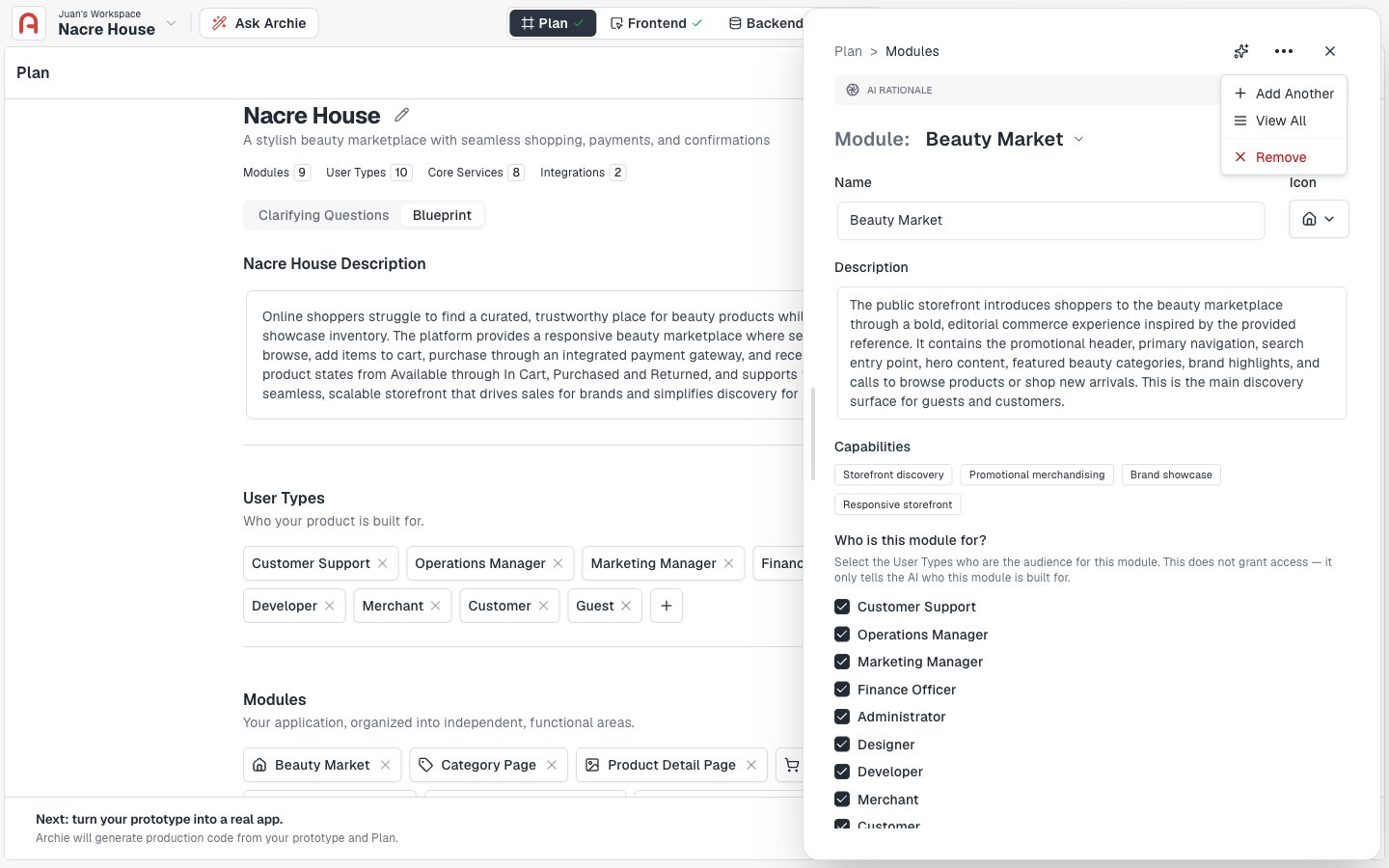 ## Refining a module
You can refine a module two ways:
* **Direct edit** — open the module, change its name or description, save. Best for small changes.
* **Plan chat** — describe what you want ("the checkout module should support guest checkout, not just logged-in users"). The chat updates the module in place. Best for substantive changes.
## Common patterns
* **Split** a vague module into two: "Account" → "User profile" + "Account settings."
* **Merge** two related modules: "Notifications" + "Email preferences" → "Notifications."
* **Rename** for clarity: "Admin stuff" → "Admin dashboard."
* **Drop** anything you do not actually need yet — building it later is easier than removing it later.
## FAQ
Most apps have between three and twelve. Anything beyond that suggests modules you should merge or features you can defer to a later build.
Edits do not auto-propagate. If you remove a module, check the related user types and update their permissions.
## Refining a module
You can refine a module two ways:
* **Direct edit** — open the module, change its name or description, save. Best for small changes.
* **Plan chat** — describe what you want ("the checkout module should support guest checkout, not just logged-in users"). The chat updates the module in place. Best for substantive changes.
## Common patterns
* **Split** a vague module into two: "Account" → "User profile" + "Account settings."
* **Merge** two related modules: "Notifications" + "Email preferences" → "Notifications."
* **Rename** for clarity: "Admin stuff" → "Admin dashboard."
* **Drop** anything you do not actually need yet — building it later is easier than removing it later.
## FAQ
Most apps have between three and twelve. Anything beyond that suggests modules you should merge or features you can defer to a later build.
Edits do not auto-propagate. If you remove a module, check the related user types and update their permissions.