> ## Documentation Index
> Fetch the complete documentation index at: https://archie.com/docs/llms.txt
> Use this file to discover all available pages before exploring further.
# When to run the build
> Signals that your plan is ready, and how frontend and backend generation split from there.
Generating costs time and credits. Generating from a plan that is not ready wastes both. This page covers the signals that you are ready.
## Ready to build
You are ready when:
* You have read every section of the plan
* The Modules section lists everything you need and nothing you do not
* User types are named and described concretely
* System services and integrations match your intent
* You can describe what the built app should do without referring back to the plan
If those are true, generate the frontend.
## Not ready to build
Hold off if:
* You have not read the plan sections yet
* A section "feels off" but you have not articulated why
* Modules describe features you are not sure you need
* User types are still labeled with placeholders ("User", "Admin")
* You have never opened the plan chat to ask a question
In each case, an extra few minutes of editing now saves a wasted build.
## Two generate actions, not one build
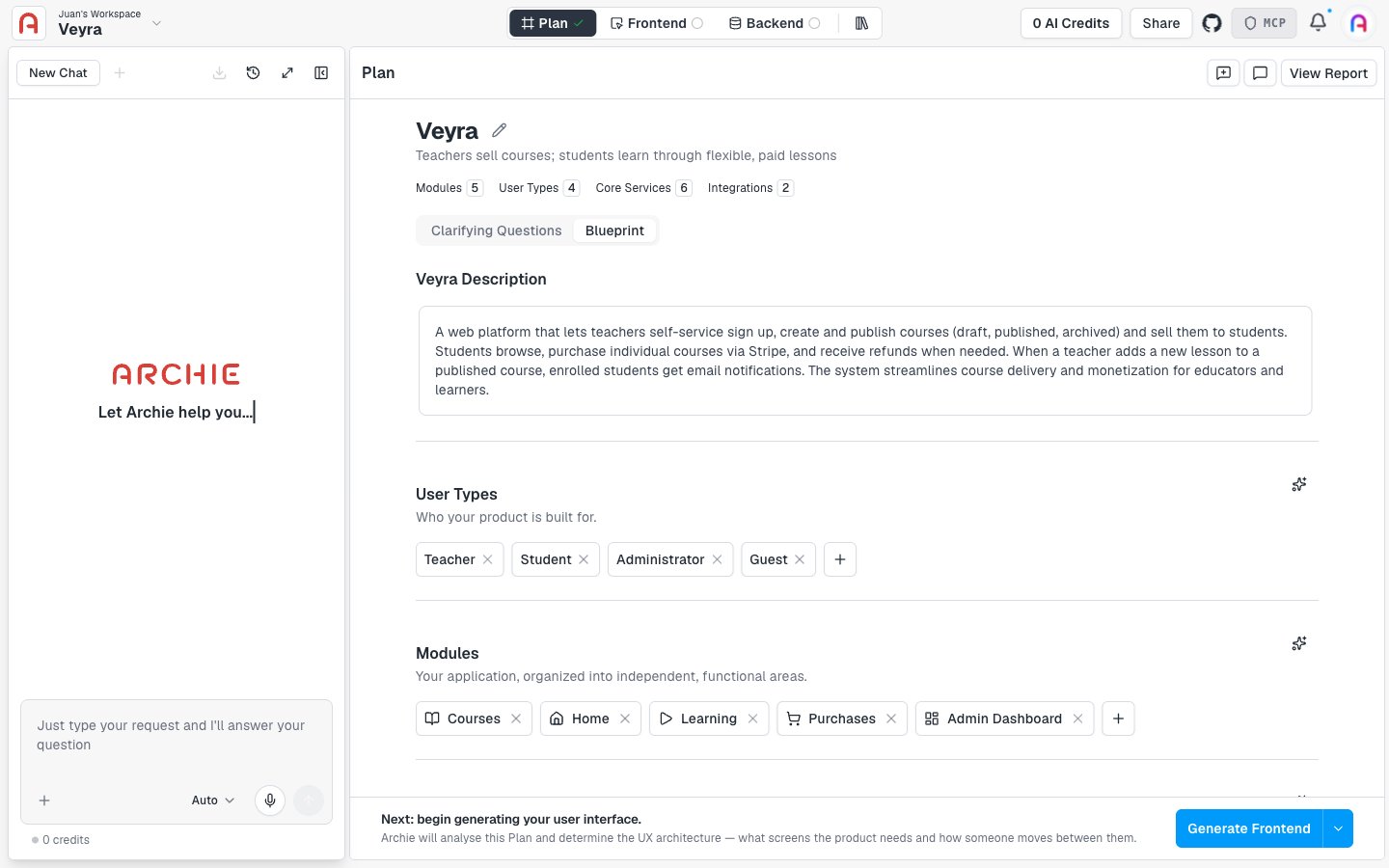
There is no single "build" button. Once your plan is ready, generation splits into two independent tracks, each triggered from the action bar at the bottom of the plan page:
* **Generate Frontend** — kicks off the frontend track: Archie lays out the UI architecture first, then you generate an interactive prototype from the screens you choose, then the real app. See [Generating the frontend](/docs/features/frontend/generating) for how that flow works.
* **Generate Backend** — generates the schema, database, and resolvers straight from the plan. It does not depend on the frontend track, so you can run it before, after, or alongside it.
 ## FAQ
Either order works — they don't depend on each other. Most projects start with the frontend to validate the UI architecture and prototype before wiring up real data.
The page shows the error and credit usage. Failed generations are not charged in full.
## FAQ
Either order works — they don't depend on each other. Most projects start with the frontend to validate the UI architecture and prototype before wiring up real data.
The page shows the error and credit usage. Failed generations are not charged in full.