

What’s new
- Build mode for new projects
- Archie on your phone
- Manage your app’s users in one place
- Customize your app’s account emails
- Work in branches
- Review pull requests with Archie Reviewer
- Share a preview link
- Know when your app is ready
- More integrations
- Smarter attachments and chat
- A more secure platform
Build
Build mode for new projects
New projects now start in Build mode. Archie asks up to three quick questions, then builds your app: the blueprint, the design system, and your first screens. You land directly on your app’s main page.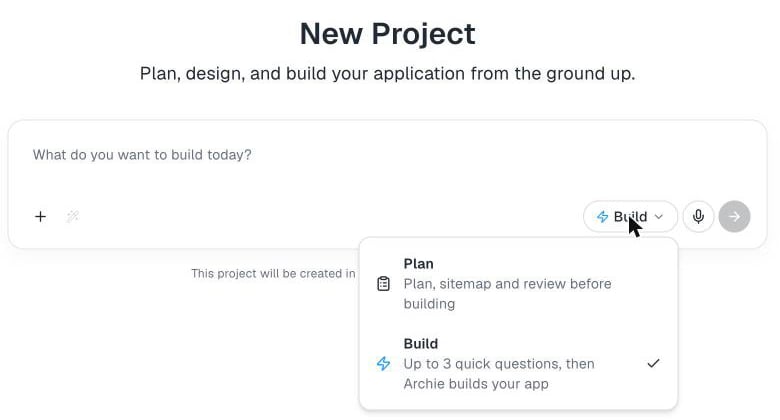
Archie on your phone
Create projects, chat with Archie, and follow your build from your phone. A progress strip shows how far Build has come while it generates. Generated frontends now also show on tablets.Users and authentication
Manage your app’s users in one place
The new Users screen lets you create users, follow every sign-in, and control the emails your app sends.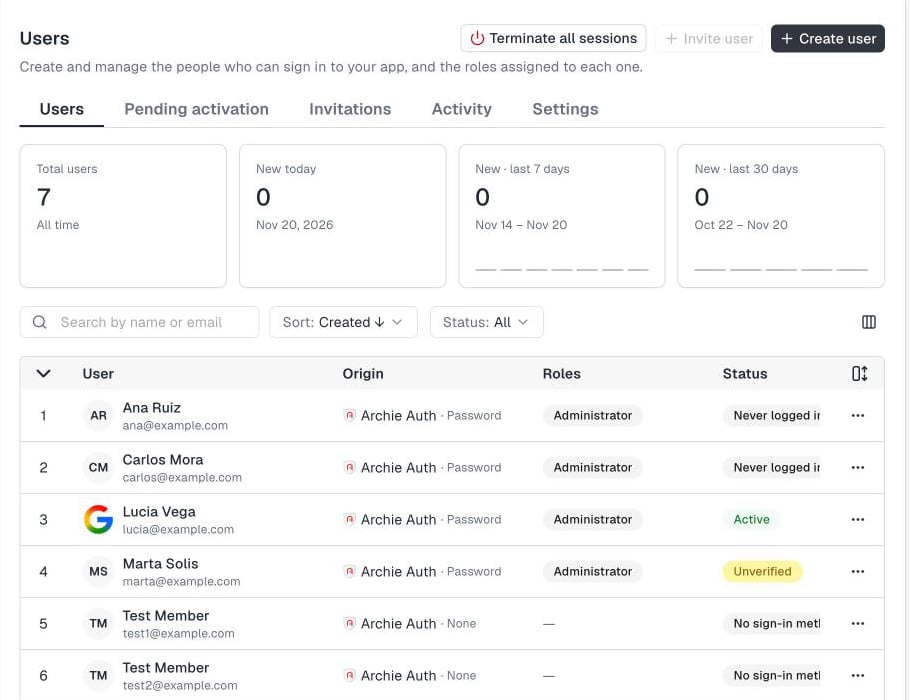
- Create users your way. Invite a user with an activation link, send a temporary password, or set one yourself. The user always changes it at first sign-in.
- Manage invitations and access. Resend or revoke invitations, require 2FA for a user, and terminate all of a user’s sessions.
- Activity. Archie records every sign-in, 2FA event, and admin action, including who did it.
Customize your app’s account emails
Write every email your app sends: activation, invitation, verification, password recovery, magic link, account locked, and 2FA notices. Add your logo, color, and sender name, per language, and check the result in a live preview.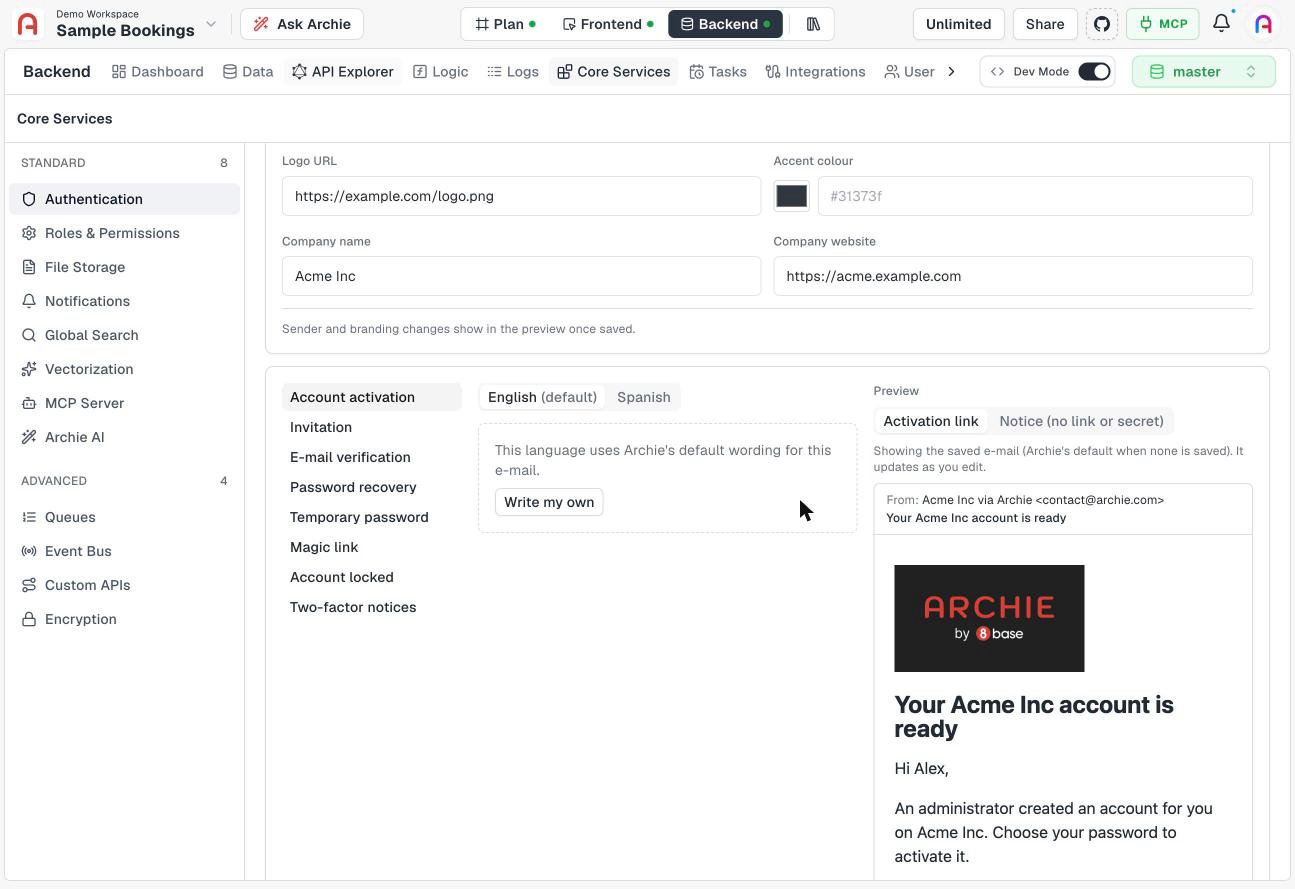
Collaboration
Work in branches
The Frontend and your custom services now support branches. Protect the branches that matter, open pull requests with your team, restore a previous version, or discard changes.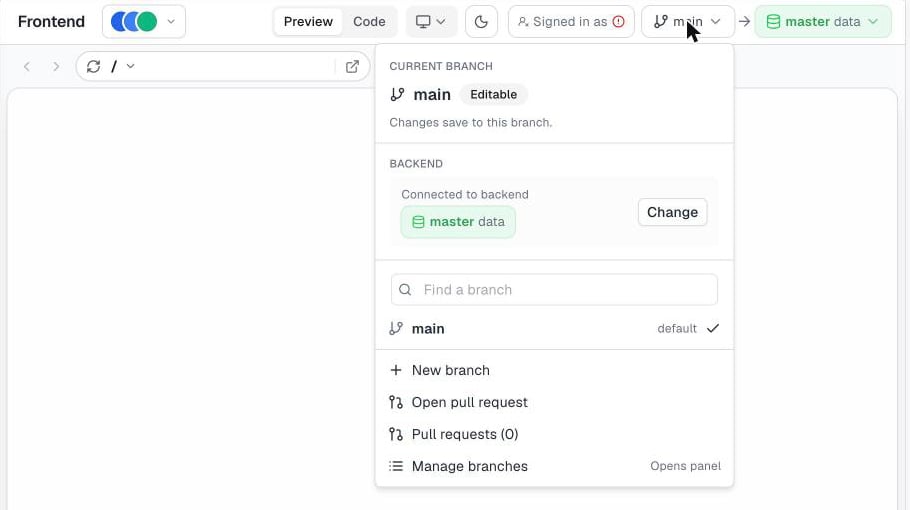
Review pull requests with Archie Reviewer
Archie Reviewer reads a pull request, leaves comments, and gives a verdict. It can review automatically every time a pull request opens, or only when someone requests it. You decide when it steps in. Learn moreShare a preview link
Share a preview link of any version. The link is a snapshot of a branch at a commit, so it doesn’t change while you keep editing. It expires on its own. You can copy or delete your active links at any time. Learn morePlatform
Know when your app is ready
Archie now sends notifications, in the app and by email, for Plan ready, UI Architecture ready, and Frontend generated. The Frontend generated email includes screenshots of your screens. If you leave before a step finishes, Archie emails you when it’s done. In Build mode, you get a notification when your frontend is ready. Learn moreMore integrations
Jira joins the integrations catalog. Archie AI is now a core service you can add to your backend. Learn more about integrations · Learn more about Archie AISmarter attachments and chat
- An invalid file no longer rejects the whole batch of attachments. Archie keeps the valid files.
- Projects with many attachments show a clear message about the limit.
- Chat can rename your project.
- Chat generates content in your project’s language.
A more secure platform
Access rules are now enforced on every data API, with defense in depth.Fixes and polish
- Development data now loads from the development environment when you choose it as the frontend’s data source (Data from).