

- You have an existing internal service you want to expose under your project’s domain.
- You want CORS, rate limiting, or a circuit breaker in front of a third-party endpoint.
- You need request/response transformation that doesn’t belong in your service code.
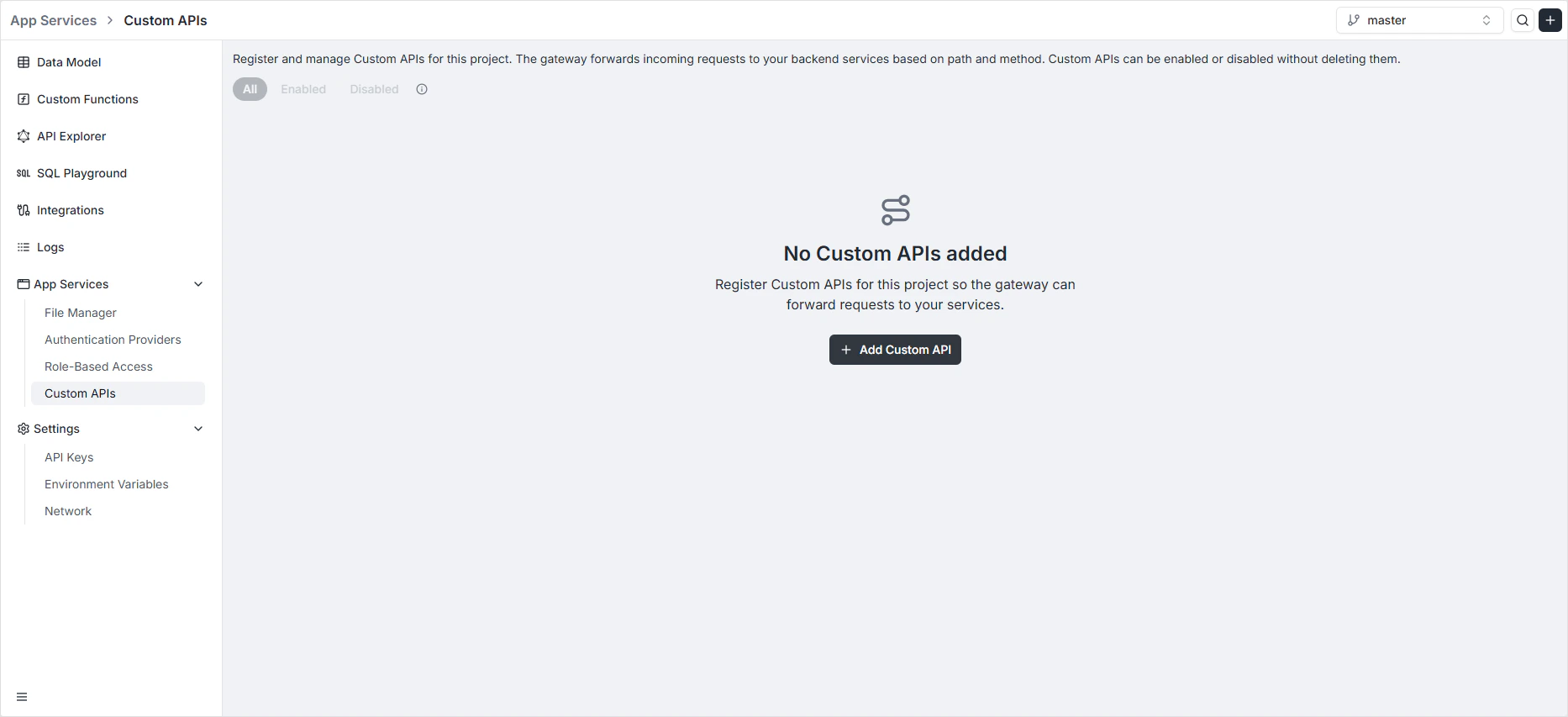
Per-environment scoping
Routes are scoped per environment. Each environment has its own routes — production routes can point at production services whiledev routes point at staging instances of the same service.
When branching an environment with the Gateway routes copy option, every route is duplicated into the new environment. Each copy receives a new ID and can be edited independently.
Registering a route
The configuration is split across four tabs: General, Security, Request & Response, and Resilience.General — routing logic
The General tab defines what the route catches and where it goes.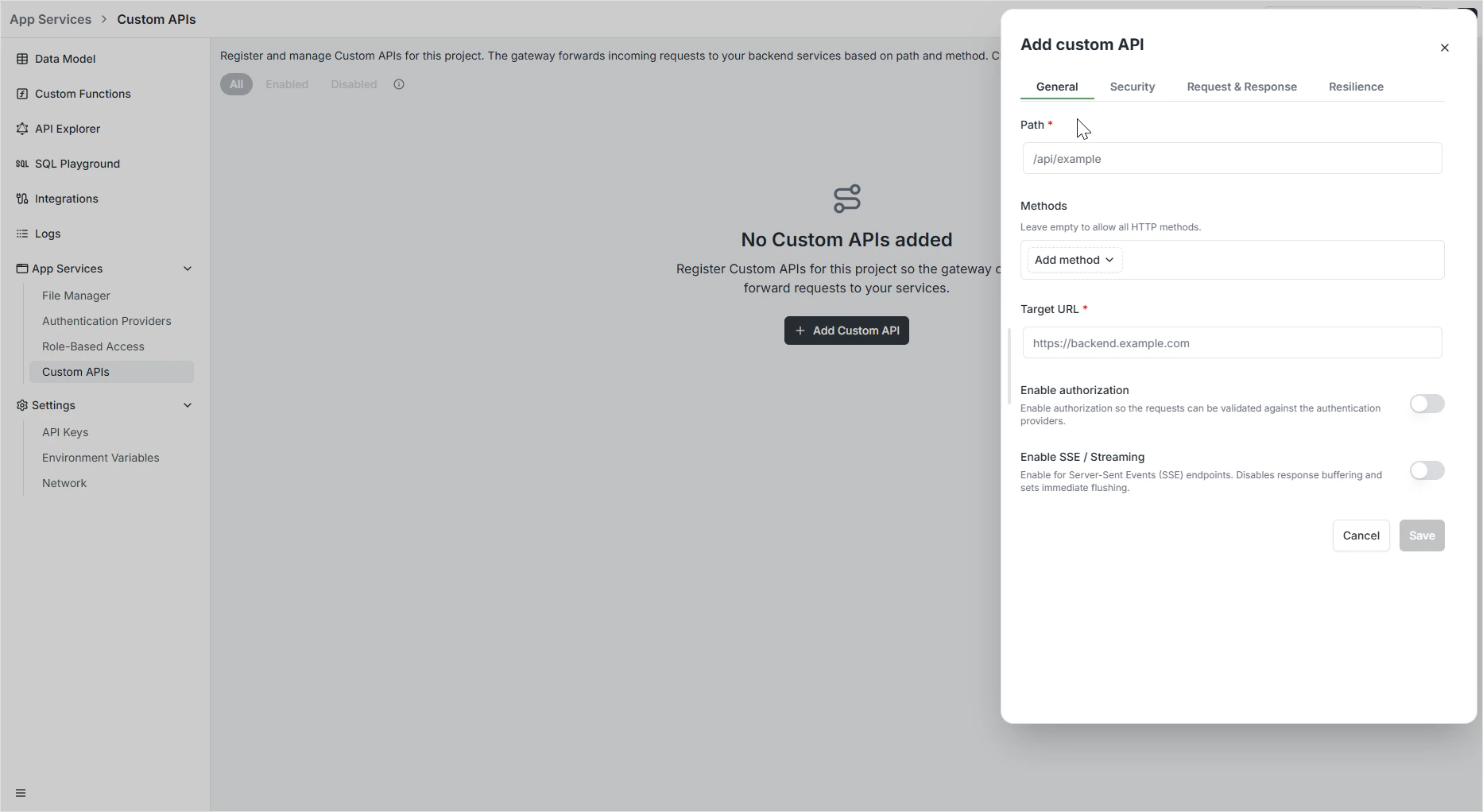
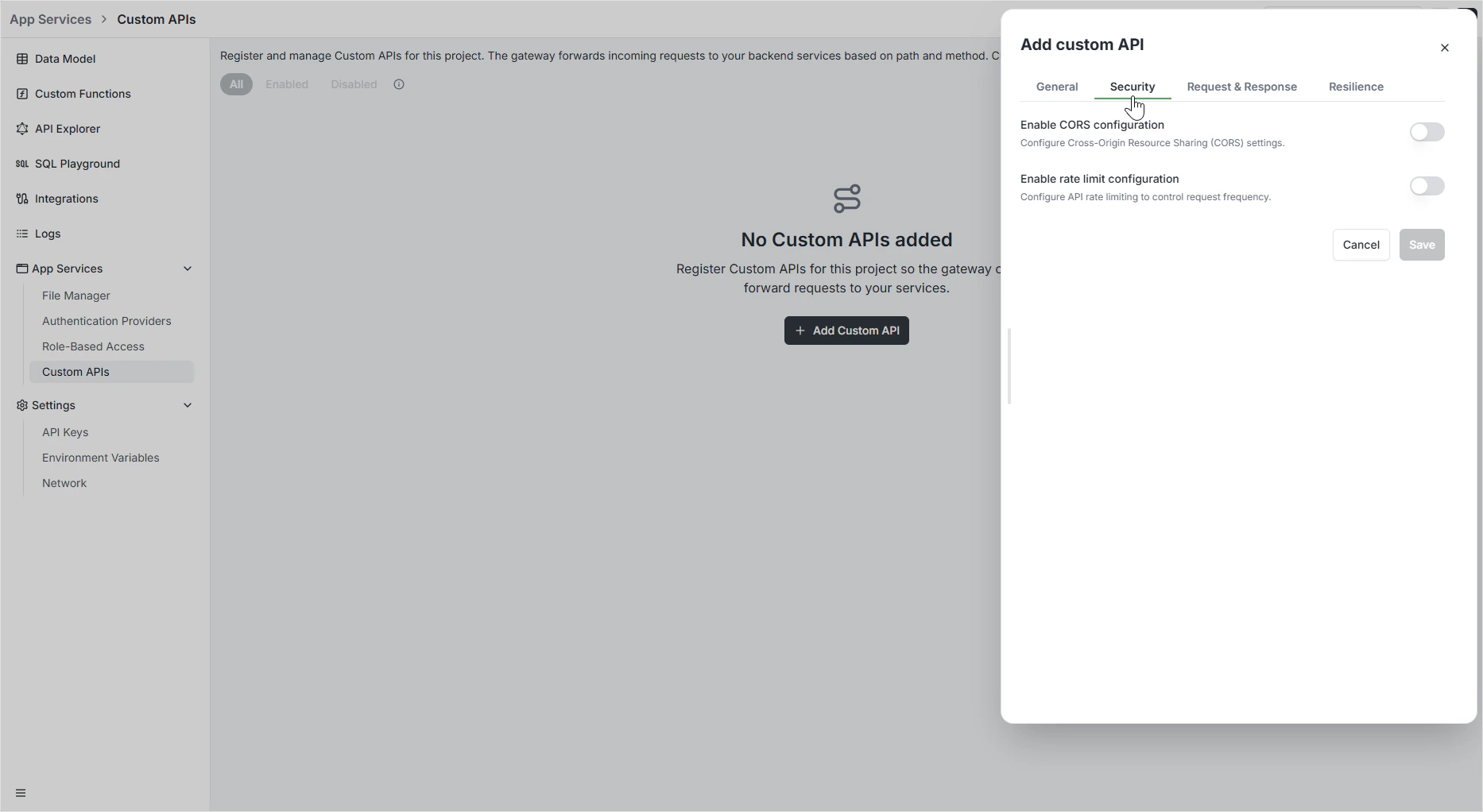
Security — CORS and rate limiting
The Security tab controls cross-origin access and rate limits per route.CORS
Rate limiting
When the limit is exceeded, the gateway returns
429 Too Many Requests with a Retry-After header.
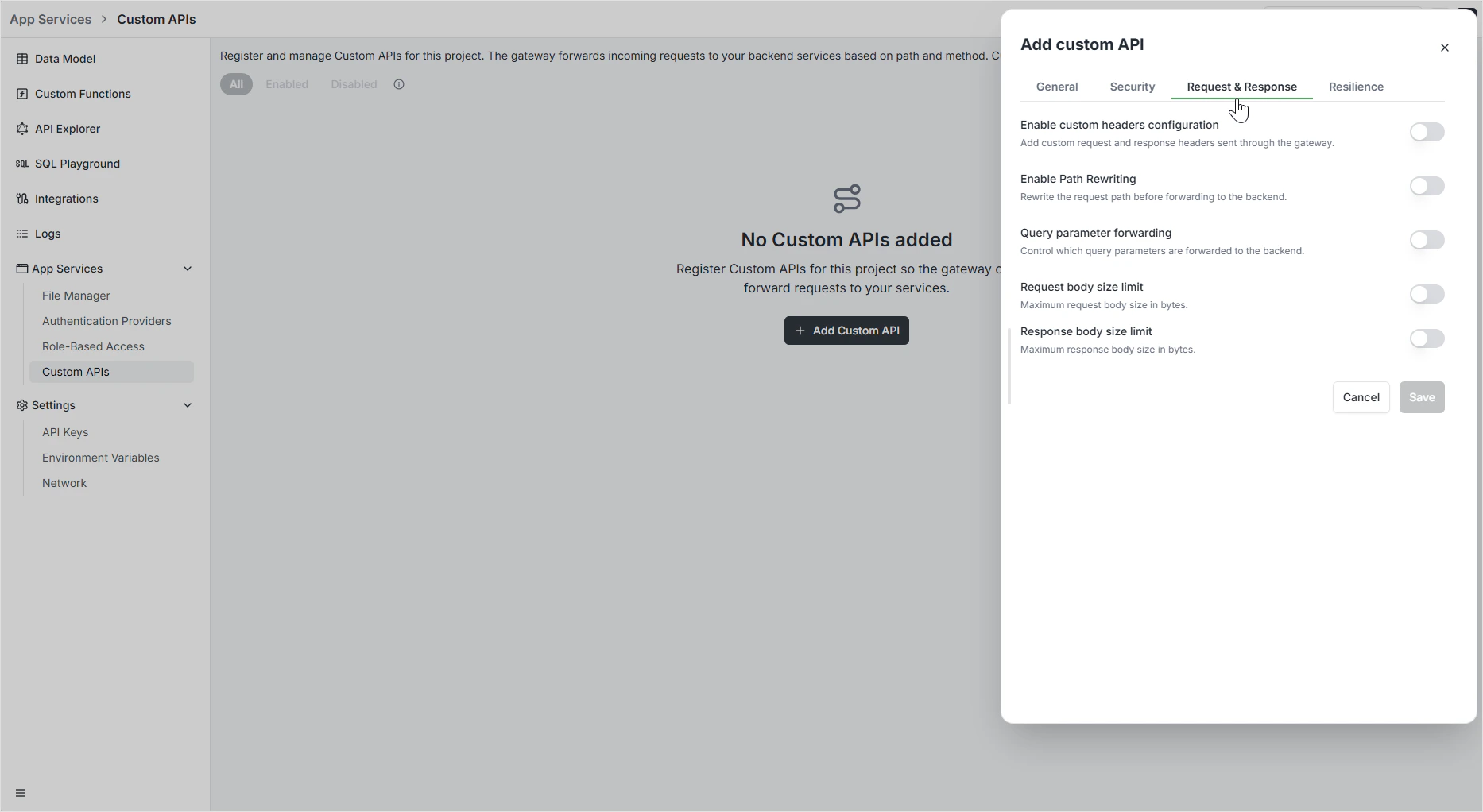
Request & Response — transformations
The Request & Response tab controls how data is shaped on the way through the gateway.Custom headers
Add or override headers per route:- Custom request headers — sent to your backend on top of what the client sent.
- Custom response headers — added to the response on the way back.
Cache-Control policy.
Path rewriting
Modify the request path before it reaches your backend:Query parameter forwarding
Choose which query string parameters reach the backend:Body size limits
Exceeding either limit returns
413 Payload Too Large.
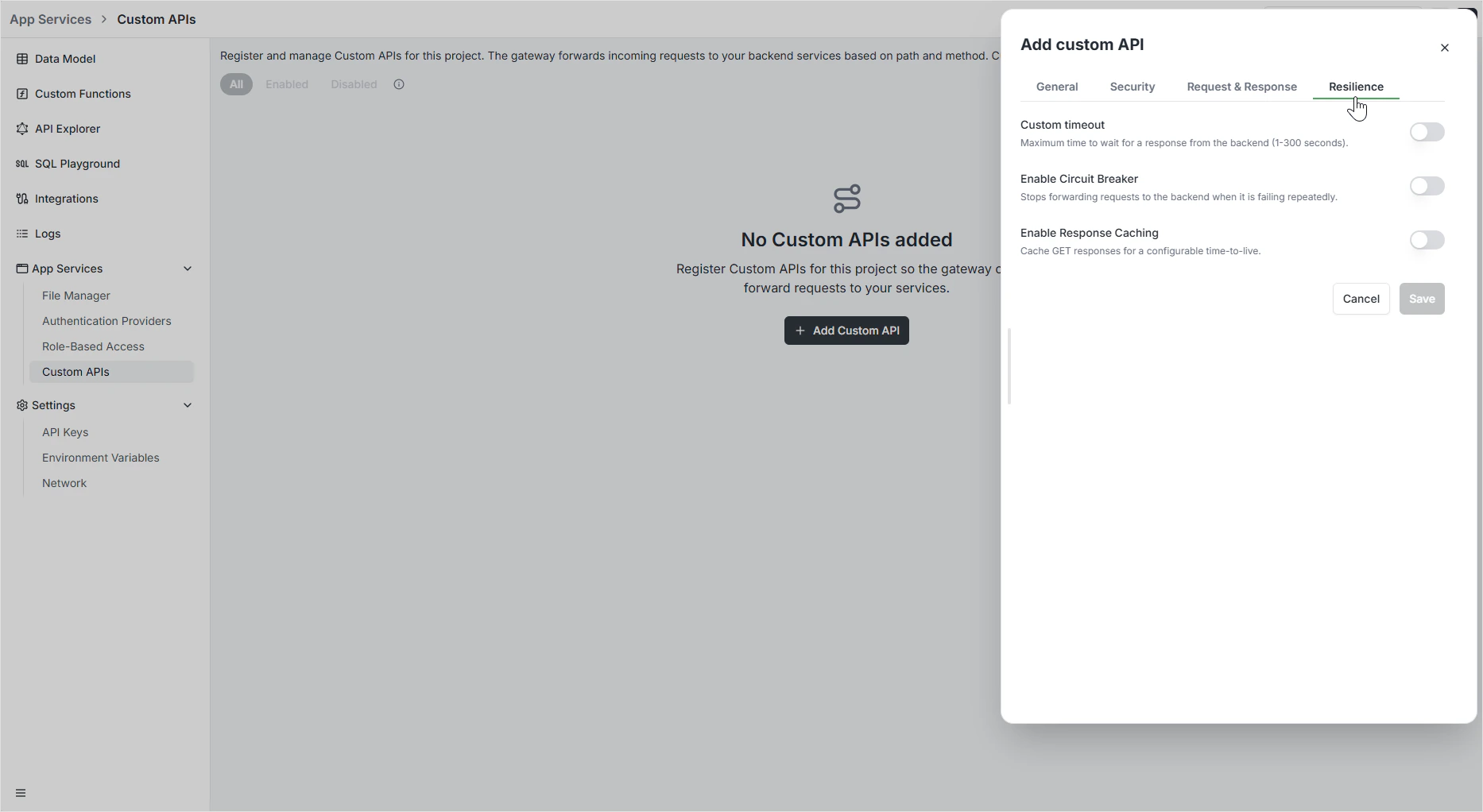
Resilience — timeouts, circuit breakers, caching
The Resilience tab keeps your route healthy when the backend doesn’t cooperate.Custom timeout
How long the gateway waits for a response before giving up. Set between 1 and 300 seconds. Without a timeout, a slow backend can pin gateway capacity indefinitely.Circuit breaker
Automatically stop forwarding requests to a failing backend so failures don’t cascade. Apply a preset or write a custom expression:Response caching
Caching applies only to safe (
GET) requests. Mutations are never cached.
Programmatic management
Routes can also be created via GraphQL — useful for codifying gateway configuration alongside your data model.Permissions
Custom API routes inherit the same auth and authorization model as the rest of your backend. Authenticated requests carry their roles to the route, where you can apply per-route policy. For full coverage, see Role-Based Access.FAQ
When should I use a Custom API instead of a custom function?
When should I use a Custom API instead of a custom function?
Use a Custom API when you have an existing service to expose — the gateway adds CORS, rate limiting, and resilience without code. Use a custom function when the logic itself runs inside Archie. The two compose: a Custom API can route to a custom function the same way it routes to any backend.
Are routes copied between environments?
Are routes copied between environments?
Optionally — tick Gateway routes in the branching modal. Each copy gets a new ID. After branching, edits in either environment are independent.
What's the difference between per-route CORS and the Network settings?
What's the difference between per-route CORS and the Network settings?
Settings → Network sets the default CORS for the auto-generated GraphQL and REST APIs. Per-route CORS overrides that for a specific Custom API path.
Can I cache POST requests?
Can I cache POST requests?
No — caching only applies to
GET. Caching mutations would silently return stale state to clients that expected fresh writes.What happens when the circuit breaker opens?
What happens when the circuit breaker opens?
The gateway short-circuits incoming requests with a
503 Service Unavailable response without forwarding to the backend. After the recovery period, it lets a small number of probe requests through to test whether the backend has recovered before fully closing the circuit.