

true or false. It’s the most efficient way to model yes/no, on/off, or any state with exactly two possibilities. In the data viewer, the field renders as a switch.
When to use it
Reach for a Boolean when a record can be in exactly one of two states with no expectation that you’ll add a third. Common examples:is_active,is_archived,is_publishedhas_paid,has_verified_email,has_consentedaccepts_marketing,is_admin,is_default
Configuration options
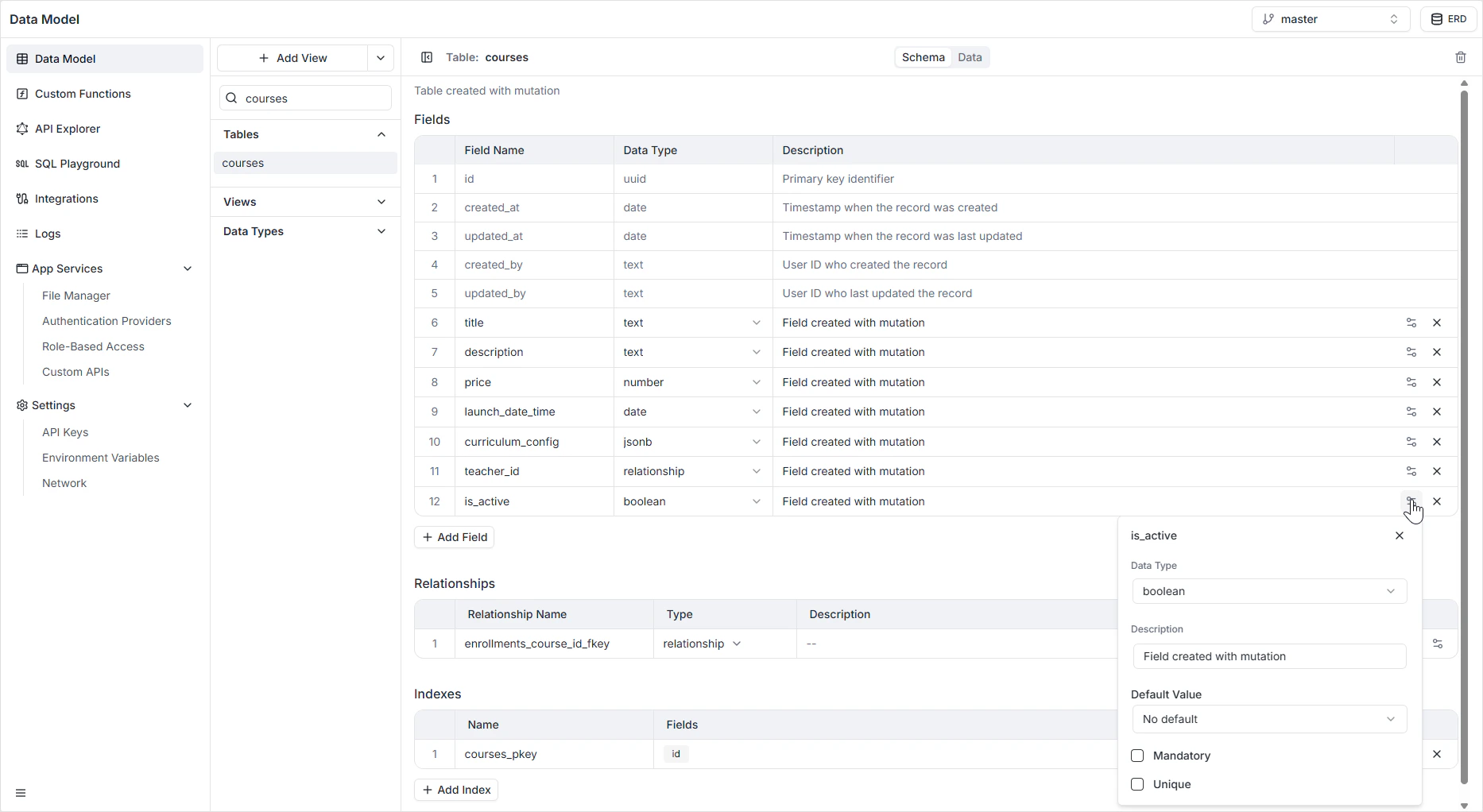
How it appears in the API
The field is generated as a non-nullableBoolean! in GraphQL when Mandatory is on, and as a nullable Boolean otherwise. The same shape is reflected in the auto-generated REST endpoints. See the GraphQL API Explorer to inspect the generated queries and mutations.
Permissions
Whether a Boolean field is readable or writable per role is governed in Role-Based Access, not on the field itself.FAQ
Should I leave Mandatory off if I want a default of false?
Should I leave Mandatory off if I want a default of false?
Set Mandatory on and Default Value to False. That way every record is guaranteed to be either true or false, with new records defaulting to false.
Can I use a Boolean to model a three-state value like 'unknown / yes / no'?
Can I use a Boolean to model a three-state value like 'unknown / yes / no'?
Leave Mandatory off —
null then represents “unknown”. For anything more expressive, use an inline enum instead.Why would I ever turn on Unique for a Boolean?
Why would I ever turn on Unique for a Boolean?
Almost never. A unique Boolean limits the table to at most two rows total (one
true, one false). It exists for completeness, not because it’s a common pattern.What does the default value look like in the Data Viewer?
What does the default value look like in the Data Viewer?
A new row pre-fills the switch to the default state. You can override it before saving the row.