

Timestamp types
If you’re not sure, use Timestamp with time zone. It’s the safest choice for most “when did X happen” fields and avoids ambiguity when records are created from different regions.
Configuration options
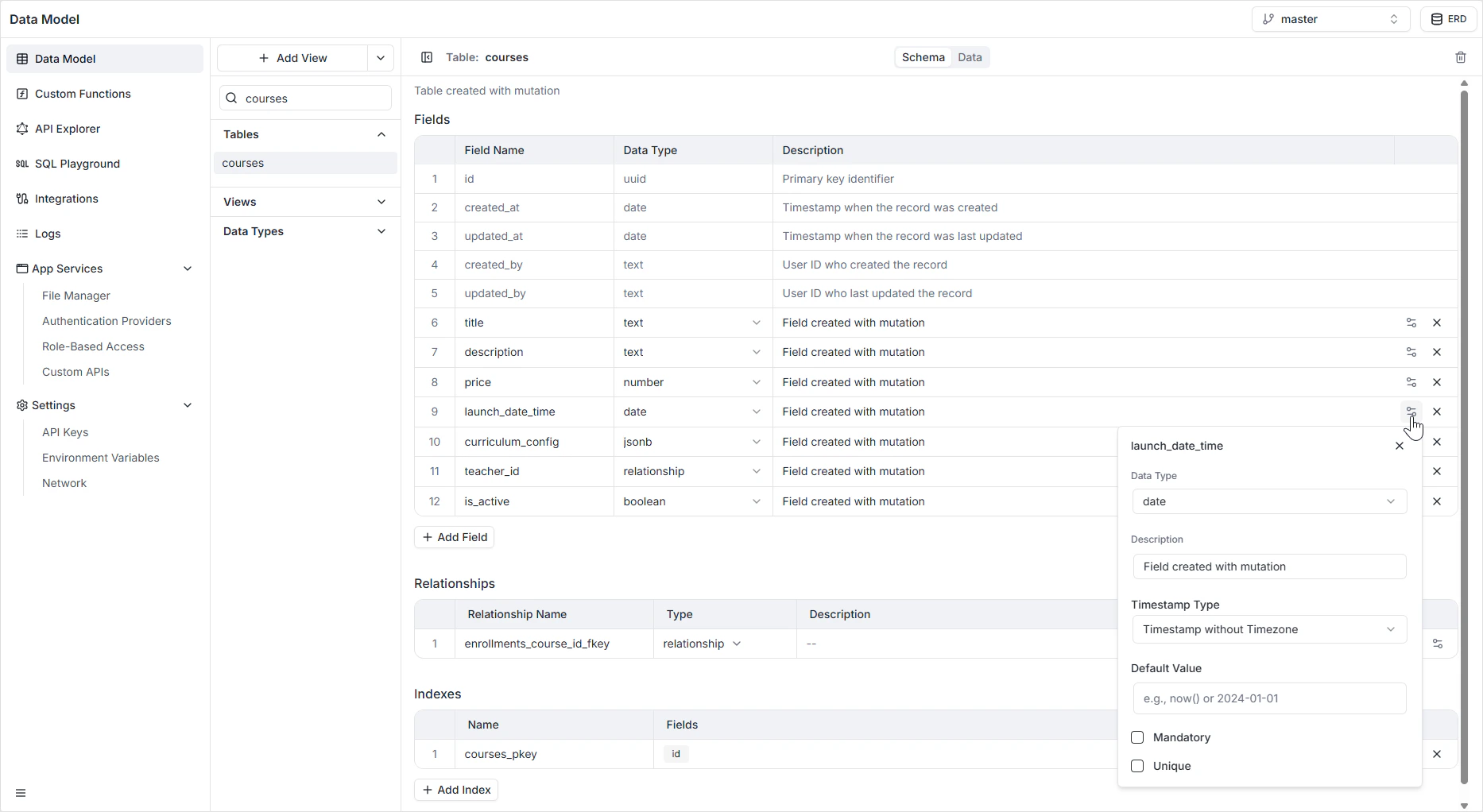
How it appears in the API
The field is generated as aDate or DateTime scalar in the GraphQL schema, and as an ISO 8601 string in the REST API. See the GraphQL API Explorer for the exact generated types.
Permissions
Date fields, like any other field, are subject to the per-role read and write rules configured in Role-Based Access.FAQ
Should I use timestamp with or without time zone?
Should I use timestamp with or without time zone?
Use Timestamp with time zone unless you have a specific reason not to. It stores values in UTC and converts to the viewer’s time zone on read, which is what you want for “when did this event happen”. Use without time zone only for wall-clock times that are the same everywhere (for example, store hours).
Can I auto-fill a created_at field?
Can I auto-fill a created_at field?
Yes. Set the Default Value to the current time so new records capture their creation moment automatically.
What happens if I switch a Date field to a Timestamp later?
What happens if I switch a Date field to a Timestamp later?
Existing values are converted automatically where possible — a date becomes the start of that day. Switching the other direction truncates the time component.
How do I store just a time of day with no date?
How do I store just a time of day with no date?
A Date field always carries at least a calendar date. If you only need a time of day, store it as Text in
HH:MM format or use a JSONB field with a structured shape.